
How to Create a Digital Menu for Your Restaurant in 10 Minutes
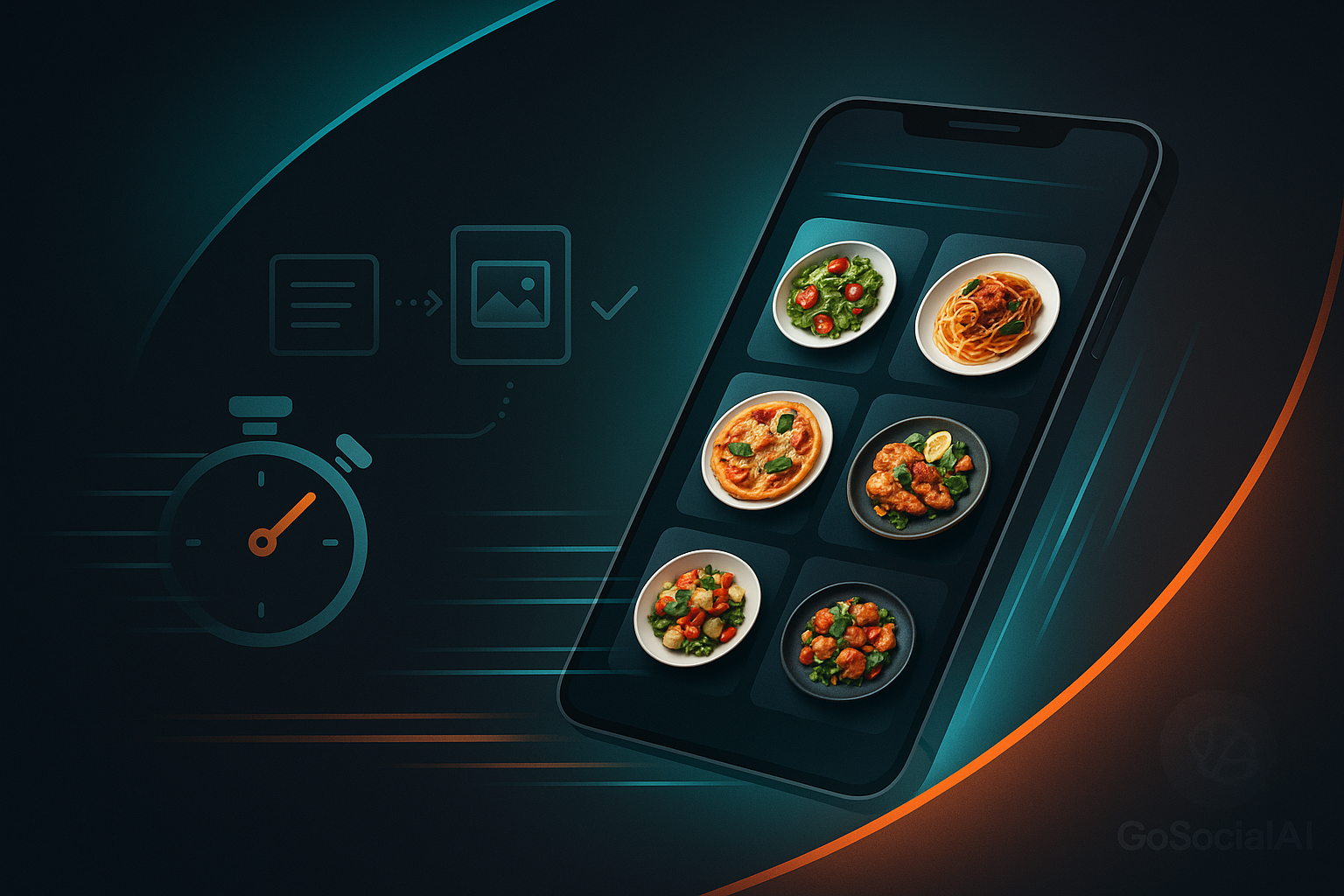
If you run a restaurant or café, a digital menu is no longer a luxury — it’s a necessity. Today’s customer reaches for their phone first and often decides where to eat while still at home or work. The good news: building a professional digital menu doesn’t need a developer, a big budget, or weeks of work — you can set it up in under 10 minutes and share it with a single link. This guide walks you through it step by step.
What exactly is a digital menu?
A digital menu is an online version of your food list, viewed on a phone through a single link you send to customers or place behind a QR code on the table or storefront. Instead of paper that wears out and costs money to reprint with every change, a digital menu updates in a second at no cost.
It’s more than a modern look. A digital menu works like a silent salesperson, 24/7: it shows your dishes with great photos, makes prices clear, highlights offers, and lets customers order comfortably — directly affecting your order count and your image.
Paper vs. digital: a quick comparison
- Cost: paper means repeated reprints; digital edits are free and unlimited.
- Update speed: paper needs reprinting and redistribution; digital changes instantly for everyone.
- Reach: paper lives inside the venue; digital reaches anyone with the link, anywhere.
- Experience: paper is static; digital has photos, offers, ratings and direct ordering.
- Data: paper tells you nothing; digital shows which items get viewed most.
Why your restaurant needs a digital menu
- No printing costs: every edit to paper is a reprint. Digital edits are free and instant.
- Instant price updates: costs rose? Change the price in a moment across all branches.
- A professional image: a tidy menu with good photos builds trust before the first visit.
- One link for everything: Instagram bio, WhatsApp, Google Maps, or a QR code — all point to the same up-to-date menu.
- A smoother experience: customers browse photos, prices and offers and order comfortably.
- Useful data: see which items get viewed and ordered most, and improve with real numbers.
How to build a digital menu in 10 minutes (step by step)
These steps work with any solid digital-menu tool, and mirror the flow of the Go Social AI digital menu:
1. Sign up and open your account
Create an account and set up your restaurant space. No technical skills needed — it’s closer to filling a form than coding.
2. Add your restaurant name and identity
Add your name, logo and brand colors so the menu carries your identity, not a generic look.
3. Add your menu sections
Split it as in real life: starters, mains, drinks, desserts, today’s offers. Clear sections help customers decide faster.
4. Add items with photos and prices
For each item: a clear name, a short appetizing description, the price, and a good photo. “Herb-marinated chicken breast with lemon sauce” sells far better than just “grilled chicken.”
5. Turn on offers and coupons
Have a deal? Show it right on the menu. Visible offers encourage bigger orders; coupons bring customers back.
6. Publish and share the link
Hit publish and your menu gets one ready link. Add it to your Instagram bio, send it on WhatsApp, and print a QR code for tables and the storefront.
Using a QR code with your menu
A QR code is the fastest way to connect an in-venue customer to your menu. Print it clearly on the table, storefront or receipt with a short prompt like “Scan for the menu and offers.” Because it points to a link that updates, you never reprint the code when prices change — the same code keeps working.
Features that make your menu sell more
- WhatsApp ordering: customers pick their order and send it in one tap.
- Customer ratings: positive reviews build trust and encourage new orders.
- Branches and working hours: customers see the nearest open branch before ordering.
- Instant updates: change prices, items and offers anytime at no cost.
How to measure your menu’s success
The thing paper can never do is let you measure. Track which items get viewed and ordered most, watch peak times, and see which offers worked. If an item gets many views but few orders, the price or photo may need tuning. Data-driven decisions grow sales step by step.
Mistakes to avoid
- Poor or missing photos: invest in good, well-lit images.
- Empty descriptions: describe ingredients and size so customers decide easily.
- Outdated prices: the whole point is live updates — keep prices accurate.
- A cluttered menu: organize sections clearly; confused customers leave.
FAQ
Do I need technical skills?
Not at all. Tools like Go Social AI are built so the restaurant owner sets up the menu in minutes with a simple interface — no coding.
Does it work on all phones?
Yes. The digital menu opens on any phone or tablet via the browser — no app download.
Can I update prices myself?
Absolutely, anytime. Edit the price, item or offer and the change appears to customers instantly.
Connect your menu to your social media
A digital menu performs best as part of a complete online presence. Share the menu link in every Instagram and Facebook post and story, pin it in your bio, use it in paid ads, and add it to your WhatsApp auto-replies. And to plan your posts and write your restaurant’s content easily and consistently, you can manage it all from one place with social media management tools — so your menu, content and offers work together and bring more orders.
Conclusion
Building a digital menu for your restaurant is one of the easiest, smartest moves to grow orders and improve your image — all in under 10 minutes. Start with clear sections, good photos, up-to-date prices and visible offers, share one link and QR code everywhere, then track and improve. Ready to start? Learn more about the Go Social AI digital menu and try real demos yourself.
Read also
Related articles
How to Turn First-Time Restaurant Guests Into Loyal Regulars in Egypt
What turns a guest into a loyal regular? This guide digs deep into practical strategies for Egyptian restaurants, from staff training and atmosphere tweaks to local partnerships and social proof. Real examples and actionable steps, no fluff.
Customer Experiences in Restaurants: How to Build Lasting Loyalty to Your Brand?
Discover how to build lasting loyalty for your restaurant brand by enhancing customer experiences.
How to Use Influencer Marketing to Boost Your Restaurant's Popularity
Learn how to effectively use influencer marketing to increase your restaurant's visibility and customer loyalty.